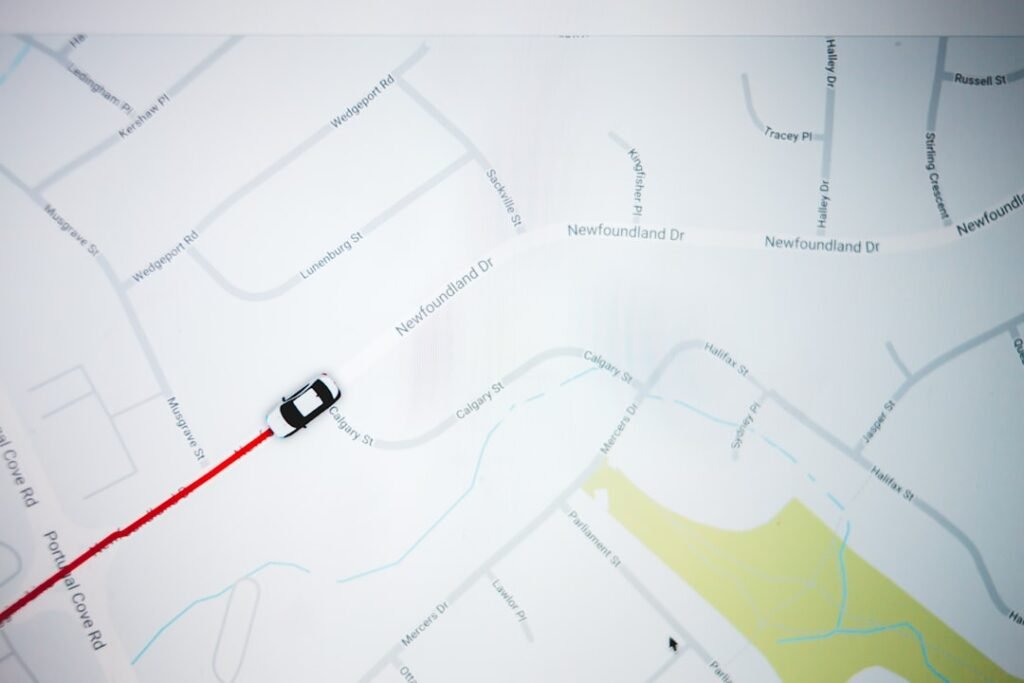
How live route maps build trust with customers
In a competitive transfer market, customers expect transparency, accuracy and real time information before they commit to a booking. When a map is shown during the booking process, it provides clear evidence of the planned route, the distance to the destination, and the expected arrival time. Live route maps give customers a tangible sense of control over their journey, which reduces anxiety and increases confidence to proceed with the booking.
The core value is clarity. If a customer cannot verify what will happen next, they may hesitate or seek alternatives. Displaying a live route map, with visible progress and ETA, signals reliability and preparedness. This simple visibility is often enough to shift a potential client from consideration to confirmation, especially when dealing with airport transfers, corporate bookings or tours where timing matters more than ever.
Understanding the core problem when customers lack route visibility
Many operators still rely on phone calls, WhatsApp messages or manual timelines to convey route details. This approach can introduce delays, miscommunication and inconsistent updates. Without a live map view, customers must trust verbal assurances rather than verifiable data, which undermines trust from the outset.
Why does this matter for conversion and retention? A transfer is a time sensitive service; delays, wrong pickup points and unclear meeting instructions create friction and negative impressions. Transparent route visuals during the booking journey offer a proactive form of reassurance that helps customers form a positive expectation before the service begins.
- Unclear pickup points and meeting instructions
- Frequent updates that arrive late or via separate messages
- Inaccurate ETAs that are not updated in real time
- Customer anxiety due to lack of verifiable progress
Using live route maps to enhance confidence in the booking process
A modern booking flow can incorporate live Google Maps route displays during the customer journey. When trip details are entered, the system can show the likely route, distance and travel time within the booking form. This transparency helps customers understand what to expect and reduces questions after checkout.
With RidePress WP the integration is designed to feel native to WordPress. The platform supports a 5-step guided booking form including service type, trip details, vehicle class, customer information and Stripe payment. Route visibility is presented in real time as part of the trip details, alongside the option to view the route on a map, observe distance and anticipate travel time before payment. The result is a more cohesive experience that aligns with your existing site, while conveying professionalism through clear visuals. It also works with any WordPress theme via shortcode, which keeps setup simple for small operators.
Practical steps to implement live route maps in your transfer business
- Enable map display in the booking flow and connect map data to the five-step form
- Define your service types and vehicle classes so the route visuals reflect the offered options
- Configure Google Maps API keys and ensure route data is accurate for airports, city rides, hourly bookings and tours
- Test the end-to-end journey from booking to notifications and driver assignment
- Set up automatic invoices and calendar sync so route information appears in PDFs and Google Calendar
- Train staff to interpret map updates and communicate them clearly to customers
Regular testing is essential. Keep route data up to date, verify accuracy for different routes and times of day, and ensure all customer communications reflect the live route information.
Benefits and outcomes of using live route maps
Transparency through route visuals helps manage expectations, reducing post booking friction. When customers can see where the vehicle is and how far it has to travel, they feel more in control and are likelier to complete the booking. In operational terms, map visuals streamline communications and improve driver coordination without increasing admin burdens.
For WordPress operators, a solution that includes map visuals as part of the booking experience provides a professional image while keeping costs predictable. The approach supports a clean customer journey and reinforces trust at every stage of the transfer process.
- Higher customer trust and reduced anxiety about pickups
- Improved conversion rates due to clearer service expectations
- Fewer calls and messages about ETA and meeting points
- Greater driver efficiency with on screen route guidance and alerts
Objection or common mistake around live route maps
A common concern is that route visuals may confuse customers if data is inaccurate or delayed. The remedy is to ensure maps are tied to verified data and updated automatically as the booking progresses. A second worry is integration effort; operators fear this will complicate the site. Start with a map in the booking step and expand once reliability is confirmed.
When implemented with careful data management, live route maps align with customer expectations rather than surprising them. Selecting a WordPress solution that includes map displays, a clear notification flow and calendar integration helps avoid the pitfalls of manual tracking and reduces miscommunication that can damage trust.
Frequently Asked Questions
What is a live route map for a transfer booking
A live route map shows the actual path from pickup to destination with real time or near real time updates. For customers, it provides visibility of distance, estimated arrival time and progress, increasing confidence in the service.
Can customers see ETA and distance during the booking
Yes. Live route maps can display estimated travel time and distance within the booking form, helping clients assess whether the schedule fits their plans before payment.
Does this require extra software or subscriptions
Many WordPress booking solutions include map features as part of the core package. RidePress WP offers built in route visuals as part of a one time purchase, avoiding monthly fees while providing robust functionality.
Is the route data accurate for all service types
Route data is generated from map services and should be configured for airport transfers, city rides, hourly bookings and tours. Regular updates ensure accuracy for different routes and times of day.
What about notifications to customers and drivers
Live route maps are typically paired with email and SMS or WhatsApp notifications to keep customers and drivers informed about changes, delays and arrivals.
Conclusion: leveraging live route map visuals to build trust
Live route map visuals help customers feel in control from the moment they start the booking. By showing route details, distance and travel time, operators can reduce uncertainty and improve the perceived reliability of the service. This visibility remains valuable throughout the booking journey and beyond.
With a WordPress booking setup that includes map displays, you can project a professional image, support accurate expectations, and encourage customers to complete their transfer bookings. The result is a smoother operation and more confident customers who are likely to reuse your service, with the reassurance provided by clear live route maps.